Free on iPhone, iPad, Mac, Vision Pro
The most beautiful
chess clock
on the App Store.
Every time control from bullet to FIDE Classical. Real-time web sharing. Byo-yomi and multi-stage. All in a clock your opponent won't stop staring at.
Free · No account required · No ads · No tracking
Black
1:19:34
Move 19/40
White · to move
1:29:51
Move 20/40
Screens
Designed for real games
Every screen crafted for a chess player — not a spreadsheet.
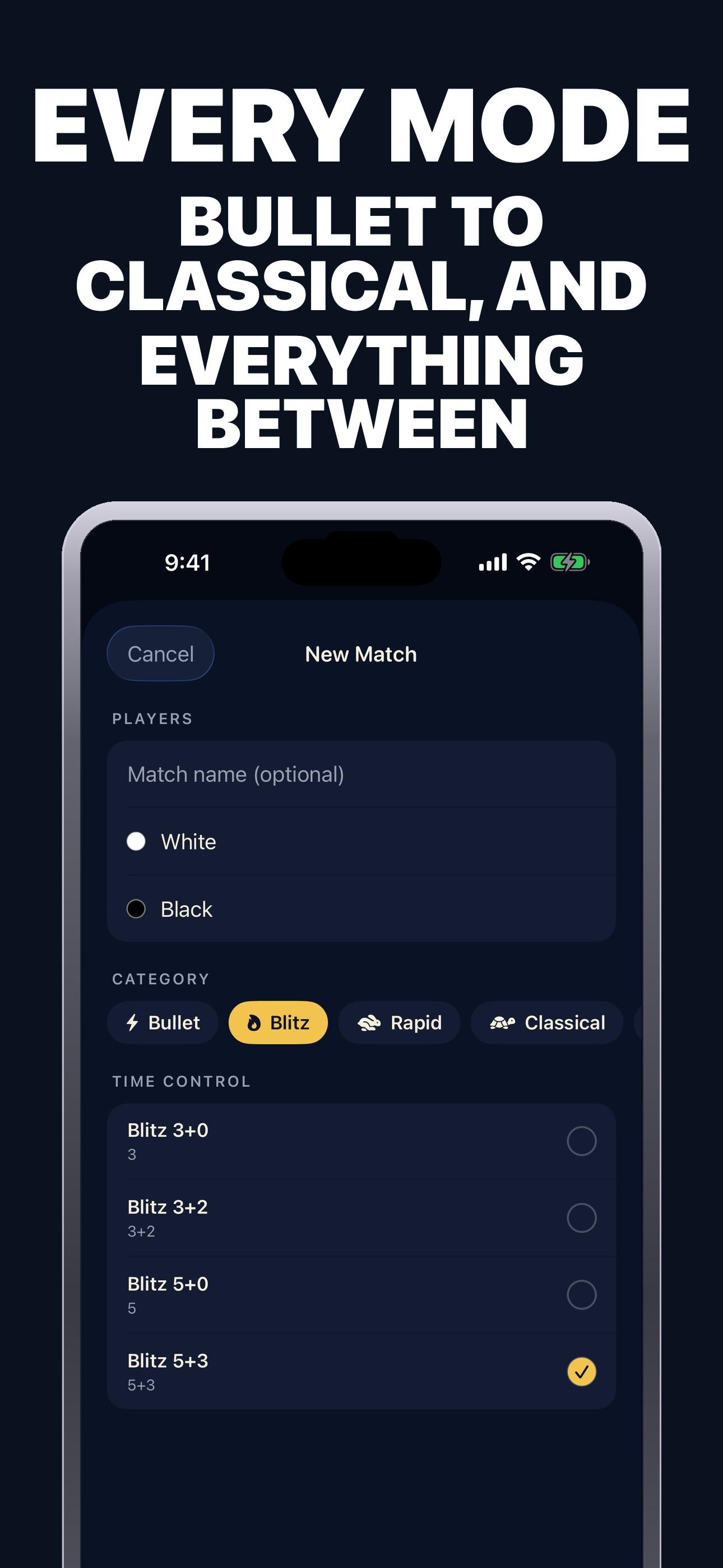
Every Mode
Tap any thumbnail. All screenshots are actual iPhone captures.
Features
Built for serious play
Everything a chess player needs. Nothing that gets in the way.
9 Time Control Modes
Sudden death, Fischer, Bronstein, US/Simple delay, byo-yomi, Canadian byo-yomi, hourglass, negative time. Every increment style used in modern chess and Go.
FIDE-Accurate Multi-Stage
Classical 40/90 + 30/30 + SD/30 with per-stage increments and move counters. Built to tournament specification — not an approximation.
Real-Time Web Sharing
Generate a 6-character code and spectators watch the clock live in any browser. No account required, no app install for viewers.
Every Move Reviewable
Per-move deltas, per-side stats (moves, total time, average, longest think), and a full timeline you can scroll through after the game.
Deep Analytics
Match count, win/loss ratios by color, flag falls, resignations, average think time, longest think, time-trouble moves, and play streaks.
Six Beautiful Themes
Wood, DGT, OLED, Tournament, Neon, Retro LED. Match the aesthetic of your game — from classic tournament hall to modern minimalist.
Live Activity on Lock Screen
The active clock ticks down on your Lock Screen and in the Dynamic Island so you can glance without unlocking.
Native on Every Apple Device
iPhone, iPad, Mac Catalyst, visionOS. One purchase, every screen. iCloud sync for game history across all your devices.
Time Controls
17 presets. Every mode chess plays.
From 1-minute bullet to a 90+30 FIDE Classical marathon — plus Go byo-yomi and Shogi. All built in.
Bullet
FastestFastest chess. Millisecond decisions.
Blitz
PopularThe dominant online chess tempo.
Rapid
SeriousEnough time to plan, but no lounging.
Classical
TournamentLong thinking. Real chess.
FIDE Multi-Stage
OfficialPer-stage increments and move counters.
Go & Shogi
Byo-yomiStone counting and byo-yomi periods, not adaptations.
+ fully custom time controls if none of the built-in presets fit your game.
Chess time controls: increment, delay and the numbers on your clock
In 3+2, each player has three minutes of base time and a two-second increment per move. In 5+0, each has five minutes with no increment. The base time belongs to each player separately; it is not a shared five-minute countdown for the whole game. Set the control in the Apple app before sharing the match to a browser.
Fischer increment can accumulate
Suppose your clock shows 20 seconds. If you spend six seconds and receive a two-second increment when you press the clock, 16 seconds remain: 20 − 6 + 2. With a five-second increment, a two-second turn can leave you with more time than before. Check how your chosen preset applies the initial increment before move one.
Bronstein delay protects time without banking it
With a five-second Bronstein delay, a two-second turn refunds only those two seconds; it does not add a spare three seconds to your reserve. A six-second turn uses one second of your main time after the refund. A simple delay may display that grace period differently, so confirm the mode rather than treating every extra-seconds setting as increment.
Match the event settings, not just the preset name
For a multi-stage control, confirm the move count, the time added at each stage and when increment begins. For casual practice, agree on the exact base time and extra-time mode before the first move. A view-only browser code follows the existing clock; it does not choose a new time control.
Preset groups are browsing aids. FIDE classifies rapid and blitz using base time plus 60 times the increment: 10+0 is blitz under that definition, while 15+10 has a 25-minute equivalent and is rapid. Online services may use different labels. For a rated event, follow its published regulations and the arbiter’s settings.
Reference: FIDE Laws of Chess, Article 6 and Appendices A–B. This guide explains controls; the app does not decide tournament claims.
Follow a shared chess clock online
Start a match in the Chess Clock app on your Apple device, then share its six-character code. Spectators can follow the live timer in a browser without installing the app. The website joins an existing shared match; set up a new clock and its time control in the app.
A time control such as 3+2 gives each player three minutes, with two seconds added after each move. A 5+0 clock starts at five minutes without an increment. Choose the base time and increment before sharing so both players know how the clock will run.
Join a shared chess clockReal-Time Sharing
Broadcast your game in three taps
Show your match live to coaches, teammates, or spectators — from over-the-board play to online exhibitions.
Start a match on iPhone
Pick your time control and tap Start Match. The clock is ready in one tap.
Tap Share to get a code
Chess Clock generates two 6-character codes: one that can edit the clock, one that's view-only.
Spectators join on any browser
Send the code. Viewers open chess-clock.app and see the clock tick in real time. No app install, no account.
Themes
Six clocks. One for every mood.
Change the whole feel of your clock with a single tap.
Wood
Classic tournament wood board vibe.
DGT
Inspired by DGT tournament clocks — pure and readable.
OLED
True black. Eye-friendly for late-night blitz.
Tournament
The official hall look — cream and slate.
Neon
Retrowave energy for fast blitz sessions.
Retro LED
80s digital clock. Every second feels dramatic.
FAQ